How to use
This tutorial walks you through generating a sinusoidal signal and encoding it using different encoding methods from the spikify library. By the end of this tutorial, you’ll understand how to transform a simple signal into a spike-based representation.
Generating a Sinusoidal Signal
First, let’s generate a sinusoidal signal using NumPy. This will serve as the input for the encoding process.
import numpy as np

# Generate a sinusoidal signal
time = np.linspace(0, 4 * np.pi, 200)
signal = np.sin(2 * time) + 0.5 * np.sin(4 * time)
Filtering the Signal (Optional)
Before encoding, you may want to filter the signal to focus on specific frequencies. Here’s an example of using the FilterBank class to apply bandpass filtering.
from spikify.filters import FilterBank

filter = FilterBank(fs=50, channels=5, f_min=0.5, f_max=5, order=4, filter_type='butterworth')

filtered_signal = filter.decompose(signal) # (timesteps, channels, features)

filtered_signal = np.reshape(filtered_signal, (-1, filtered_signal.shape[1] * filtered_signal.shape[2]))
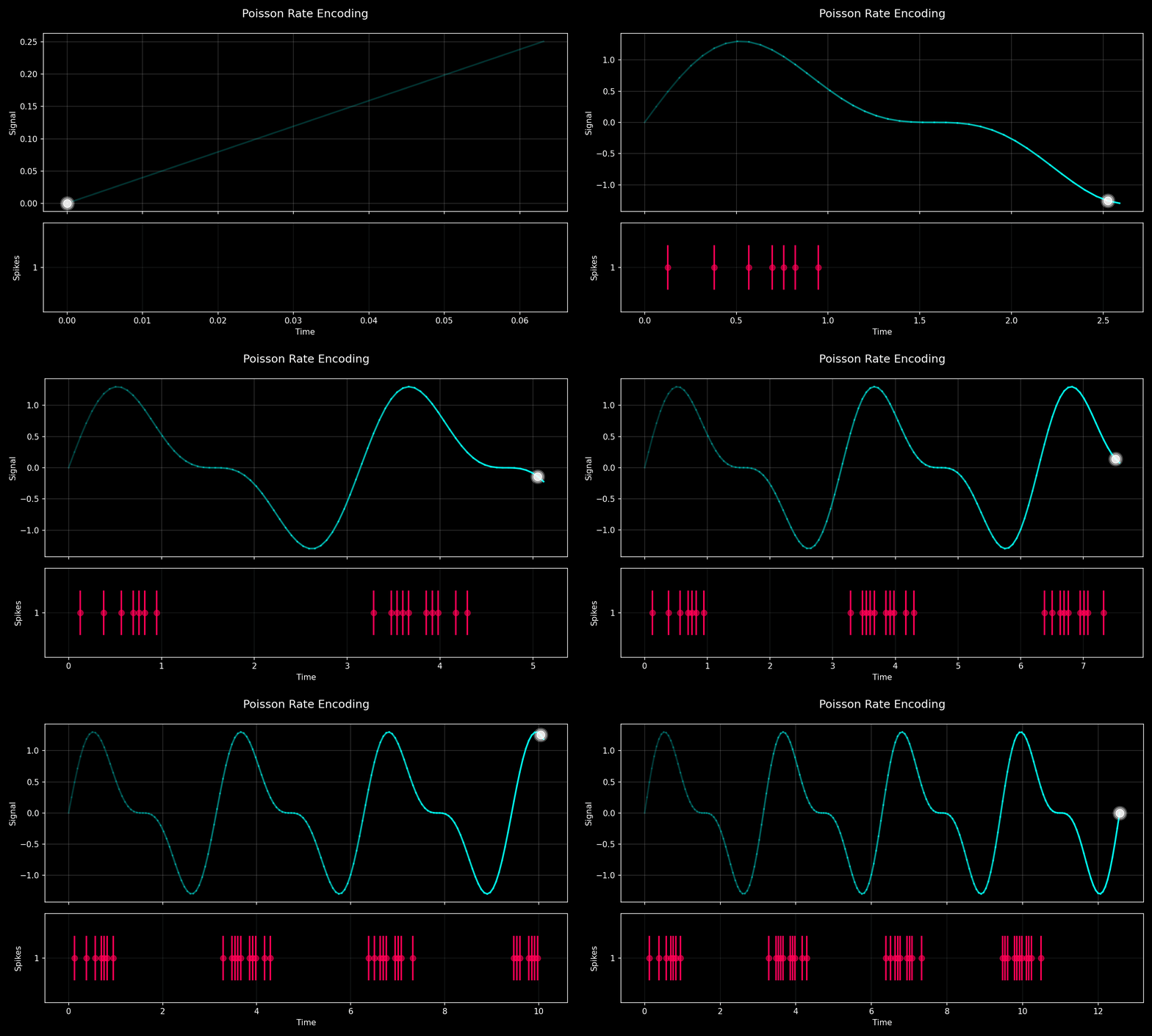
Encoding the Signal and the Filtered Signal with Poisson Rate
Now, let’s encode the sinusoidal signal into spikes using the poisson method. This method converts the signal into spike intervals based on the specified encoding interval length.
from spikify.encoders.rate import poisson

# Set parameters for encoding
np.random.seed(0)  # For reproducibility
interval_length = 5  # Length of the encoding interval

# Encode the sinusoidal signal
encoded_signal = poisson(signal, interval_length)

# Encode the filtered signal
encoded_filtered_signal = poisson(filtered_signal, interval_length)
Next Steps
Once you’ve encoded your signal, you can integrate it into spiking neural networks or analyze the encoded spikes further. Refer to the Python API for more details on available functions and features.